How Much Storage Do You Need on a Tablet?
How much storage you need on a tablet depends on your downloads: 128GB suits most everyday users. Choose 64GB for light use with regular cleanup, or 256GB for large games, photo collections, and creative files.
On this page (9 sections)
- How much storage do you need on a tablet?
- Is 64GB enough storage for a tablet?
- When should you choose 128GB?
- Who needs 256GB or more?
- What fills tablet storage fastest?
- Can a microSD card or cloud storage replace built-in space?
- How should you set up and maintain tablet storage?
- Which storage mistakes should you avoid?
- Which tablet storage size should you choose?
For most everyday users, 128GB is a sensible answer to how much storage you need on a tablet. Choose 64GB for a few apps and mostly web browsing, or 256GB if you keep large games, photos, or creative projects offline.
The key is what must stay on the device between internet connections. Screen size doesn't determine storage needs, and extra capacity won't make every task faster.
How much storage do you need on a tablet?
Start with 64GB for light use, 128GB for mixed everyday use, or 256GB for a larger offline library. Then adjust for your current files, planned apps, and willingness to clear downloads.
| Your routine | Starting capacity | Main tradeoff |
|---|---|---|
| Books, browsing, email, family calls, and recipes | 64GB | More frequent cleanup |
| Everyday apps, photos, notes, and some saved documents | 128GB | Large games still need planning |
| Several large games, travel downloads, or creative projects | 256GB | Extra space may go unused with light use |
The operating system and built-in apps occupy part of the advertised capacity. Leave free space for updates, temporary files, and new downloads instead of planning to use every gigabyte.
For other choices that affect daily use, see what to look for in a tablet.
How do I estimate the tablet storage I need?
Use your current storage use plus planned additions as your starting estimate. Open Settings, search for storage, and note the space used by apps, photos, books, and documents.
Check whether that total reflects your normal routine or constant deletion to stay below the limit. If you already remove things you want to keep, your next device needs more room.
For offline reading, download a typical book or magazine and check its size in the app. Multiply that by the number you want for a trip, since images and file formats can change the total greatly.
Is 64GB enough storage for a tablet?
64GB works for a small app collection and mostly online tasks. It's a reasonable fit for someone who reads books, checks email, and makes calls without collecting many downloads.
Video calls don't require you to store the conversation unless you record it. Photos saved from messages, downloaded attachments, and unused apps are more likely to become storage clutter.
The Samsung Galaxy Tab A9+ pairs 64GB of built-in storage with microSD expansion up to 1TB. The card is sold separately and adds room for supported files.
Choose it if your app needs are modest and you want a card for a growing file library. Skip this configuration if you install large games or want to avoid managing where files are stored.
When should you choose 128GB?
128GB suits people who want everyday apps and some offline content without frequent cleanup. It's a useful middle ground for family photos, reading, notes, and occasional travel downloads.
It also gives a shared tablet more room for different interests. Several family members can build a sizable collection of apps and saved photos even when each person uses only a few.
Samsung Galaxy Tab A11+: for mixed apps and files
The Samsung Galaxy Tab A11+ configuration here combines 128GB of storage, 6GB of RAM, and microSD expansion. Choose it if you want built-in room for everyday apps and a card option for supported photos and documents.
Skip it if your routine depends on iPad apps or Apple Pencil support. Its expansion option is useful for files, but don't count on moving every app to a card.
Apple iPad A16, 128GB: for an everyday iPad setup
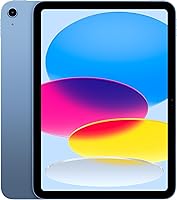
The Apple iPad 11-inch A16 with 128GB suits someone who wants iPad apps, reading, and notes with a moderate download collection. It supports Apple Pencil USB-C and Apple Pencil 1st generation for writing or drawing.
Skip this capacity if you expect to keep several large games alongside photo projects. More built-in space is the better fit when you want those files available together without moving them elsewhere.
Storage is only one part of choosing a call device; our guide to how to video call on a tablet covers the practical setup. For books, see can you read books on a tablet?.
Who needs 256GB or more?
256GB suits large reading collections, several large games, or active photo projects. Choose it when removing files would interrupt how you use the tablet.
Travelers should plan for the whole trip, including the return journey. People who edit photos also need room for source files, project files, and exported copies.
The Apple iPad 11-inch A16 with 256GB gives you twice the built-in capacity of the version above. Both use the A16 chip, so choose between them for storage needs rather than expecting extra capacity alone to improve speed.
Choose this version for a larger local library or projects you want to keep close. Skip the extra capacity if you mainly browse the web, use a few apps, and rarely save photos.
If your current files already approach this capacity, consider a larger option and a clear archive plan. No storage size removes the need to back up important work.
What fills tablet storage fastest?
Large photo collections, large games, and creative projects usually deserve the most attention. Check actual file sizes rather than assuming every book, photo, or app needs the same amount of space.
Plain-text ebooks use relatively little room. Scanned books, comics, and image-heavy magazines need more, especially when you download an entire collection.
Our best tablets for reading guide covers device choices for those reading habits. For a short trip, keep your current books downloaded and leave the rest available online.
Typed notes are usually small, while attached scans, images, and audio recordings add up. If those are part of your routine, compare tablets for note taking and include those attachments in your storage estimate.
Games can grow after installation as they add content and updates. Check each game's storage use after setup, rather than relying only on its initial download size.
Can a microSD card or cloud storage replace built-in space?
Cards and cloud storage help with files, but neither replaces enough built-in room for your apps. Decide what you need offline before treating either as a reason to buy a smaller capacity.
A compatible microSD card can hold supported documents, photos, and books. Some apps restrict download locations, and support for moving apps varies, so check the apps you rely on.
The Samsung models above offer card expansion, but the A11+ capacity limit isn't specified here. Confirm the supported card capacity before choosing a card.
Cloud storage works well for archives and files you open occasionally. Online files need an internet connection unless you save local copies, which use tablet storage again.
Before traveling, open essential files without a connection to confirm they're available. Our guide to whether a tablet needs Wi-Fi explains which everyday tasks can work offline.
How should you set up and maintain tablet storage?
Start with only the apps and files you need, then review storage regularly. Copying every old download onto a new tablet can make a suitable capacity feel cramped from day one.
Use these habits to keep space available:
- Install in stages. Add your main apps first, then check remaining space before copying a large photo library.
- Control downloads. Turn off automatic downloads you don't need and save only the books, recipes, and documents you plan to use.
- Clear finished content. Remove completed books and unneeded recipes through the app that downloaded them.
- Back up before deleting. Confirm important photos and documents are saved elsewhere before removing local copies.
- Remove cards safely. Use the tablet's eject control before taking out a microSD card.
Cloud sync deserves care: deleting a synced photo may also delete it from other devices. Check how your service handles deletion before using it to clear space.
Which storage mistakes should you avoid?
Don't confuse storage with RAM, and don't assume expansion solves every space problem. RAM helps the tablet manage active apps; storage holds installed apps and saved files.
Buying more storage doesn't improve your internet connection or guarantee smoother calls. Choose enough capacity for your files, then compare the other features that matter to your routine.
Another mistake is counting cloud space as offline space. Download essential documents, tickets, books, and recipes before leaving reliable internet access.
Avoid filling the device completely before clearing it. Check storage before a trip or a large app download, while you still have time to move files.
Which tablet storage size should you choose?
Decide how much storage you need on a tablet by what you want to keep available, then choose the model that fits your apps and habits.
Pick the Galaxy Tab A9+ configuration for light use with card expansion. Choose the Galaxy Tab A11+ for more built-in room plus a card option, or the A16 iPad with 128GB for an everyday iPad setup.
Choose the A16 iPad with 256GB when games, travel downloads, or creative files need to stay together. If books are your main use, how to read books on a tablet is a useful next step before building your download library.
Frequently asked questions
Is 64GB enough storage for a tablet?
64GB is enough for light reading, browsing, email, and video calls if you keep downloads modest and clear old files. It leaves less room for growing apps and offline content, so choose 128GB if you want several games, saved photos, or less frequent cleanup.
Is 128GB enough storage for a tablet?
128GB is enough for many everyday users who keep a mix of apps, photos, notes, and occasional downloads. Check your current storage use before choosing: several large games or a growing photo library can fill that space, especially if you rarely remove old files.
Can you add storage to a tablet later?
You can add file storage with a microSD card on tablets that support it, but that doesn't increase the built-in capacity. App storage rules vary, so don't assume games can move to the card; cloud storage also helps with files you don't need to keep available offline.
Does web browsing use tablet storage?
Web browsing uses some tablet storage for the app and temporary files, while saving photos and documents adds files you keep locally. Downloaded books, recipes, and photos remain stored until removed or cleared by the app, so review download settings and delete unneeded content when space runs low.