Samsung Galaxy Tab A9+ Review: Worth It? (October 2026)
This Galaxy Tab A9+ review recommends it for shared home use and light everyday tasks. Choose the A11+ for more memory and built-in storage, or the Lenovo Tab One for frequent carrying.
On this page (10 sections)
- Galaxy Tab A9+ review: who should buy it?
- How well does the screen suit photos and reading?
- Are the speakers a reason to choose the A9+?
- Is the A9+ configuration enough for your apps and files?
- Can multi-window use replace a laptop?
- When is the Galaxy Tab A11+ the better choice?
- When should you choose the Lenovo Tab One instead?
- How should you set up the A9+ for shared home use?
- What care habits and buying mistakes matter most?
- Galaxy Tab A9+ review verdict: which tablet should you choose?
The Samsung Galaxy Tab A9+ suits shared home use and light everyday tasks, especially if you mostly browse and read rather than save a large offline library. This Galaxy Tab A9+ review favors it for browsing, recipes, email and family photos, while the A11+ is the stronger choice for households keeping more apps and files.
The main buying decision is about your routine: a tablet that stays near the sofa has different needs from one carried on every trip. For broader context, see our guide to Samsung tablets for everyday use.
Galaxy Tab A9+ review: who should buy it?
Buy the A9+ if you want a shared screen for relaxed home use and usually handle one main task at a time. Its multi-window feature adds flexibility for short tasks without making a full work setup necessary.
Samsung Galaxy Tab A9+

- 11-inch LCD screen
- 1920 x 1200 resolution
- 90Hz refresh rate
- Quad speakers with Dolby Atmos
- 64GB storage
A Samsung tablet for reading, browsing, email and occasional split-screen tasks. Expandable storage helps with saved files, but buyers keeping many apps should consider more built-in space.
Pros
- Roomy screen for photos and web pages
- Quad speakers with Dolby Atmos
- Supports multiple apps on one screen
- microSDXC expansion up to 1TB
Cons
- Modest built-in memory and storage
- Some apps do not support multi-window use
- Less compact than the Lenovo Tab One
It fits the household that browses photos, checks a recipe, reads the news and answers a few messages. Those uses benefit from a larger display without requiring you to build a routine around a keyboard.
Who gets the most from this Galaxy Tab A9+ review?
The best match is a buyer choosing a home companion to a phone or computer. You can leave longer writing and complex file work on your computer, then use the tablet for the jobs that feel cramped on a phone.
Skip this configuration if you already know you keep many large games, regularly work across several demanding apps or dislike managing storage. The A11+ below gives you more room to grow in those areas.
Also skip a full-size tablet if one-handed reading is your main use. A smaller model can be easier to fit into a daily bag, although it gives documents and web pages less room.
How well does the screen suit photos and reading?
The A9+ screen suits photos, web pages and reading with a stand better than buyers seeking a pocketable device. Its 11-inch TFT LCD has 1920 x 1200 resolution, a 90Hz refresh rate and a 16:10 shape.
That gives photos room to breathe while leaving enough space for a recipe or article at a useful text size. The higher refresh rate can make scrolling look smoother, but it does not make apps load faster or improve photo detail.
For books, screen size is only part of comfort. Increase the font until you can read without leaning forward, then adjust line spacing and brightness to match the room.
A stand matters for long sessions because you can keep the screen raised without supporting it in your hands. Our guide to reading books on a tablet covers ways to make that setup more comfortable.
If you read mostly scanned documents, look at how much zooming you need. Enlarging a fixed page can require more side-to-side movement than increasing the font in an ebook.
Are the speakers a reason to choose the A9+?
Yes, built-in audio is a reason to consider the A9+ for family video calls. Its quad speakers support Dolby Atmos, so headphones do not have to be part of every short call or game session.
Keep speaker openings clear when choosing a case or propping the tablet on a cushion. Raising the volume will not solve muffled sound caused by covering an opening.
For calls, audio is only one part of the decision. Put the tablet on a steady surface near eye level, face a light source and reduce background noise before the call starts.
If calls will be the tablet's main job, use our guide to tablets for video calls to compare camera needs and placement. Speaker count alone should not decide a call-focused purchase.
Is the A9+ configuration enough for your apps and files?
The 4GB RAM and 64GB storage configuration suits a smaller app collection and a routine built around browsing and email. Buyers keeping large games or many downloads should favor more built-in room.
RAM and storage do different jobs. RAM gives running apps working space, while storage holds apps, photos, downloads and other saved files.
The A9+ supports microSDXC expansion up to 1TB, with the card sold separately. That is useful for compatible saved photos and documents, but a memory card does not add RAM or guarantee that every app can move off internal storage.
Some built-in space is already occupied, so do not plan to fill the advertised capacity with your own files. Leave room for app updates and temporary downloads.
Before choosing, make a short list of what must stay offline: recipes, notes, books, photos and games. Our guide to how much storage you need on a tablet helps turn that list into a sensible choice.
Can multi-window use replace a laptop?
Multi-window support helps with short, paired tasks, such as reading a web page while making notes. It is less convincing as a reason to replace a computer without first checking your exact apps.
Some apps do not support multi-window use. Even compatible apps may feel cramped when a keyboard takes up part of the display.
Start with 2 apps and a clear purpose. Copying a detail from a browser into a note is a better fit than trying to keep an entire desktop-style workflow visible.
Before buying accessories, check the tasks that matter most: opening your usual documents, uploading files, joining calls and using required websites. Our guide to whether a tablet can replace a laptop explains where that choice tends to work.
Do not choose a stylus or keyboard based only on the tablet's screen size. Confirm support for the exact accessory and the functions you need before ordering.
When is the Galaxy Tab A11+ the better choice?
Choose the A11+ for a larger app collection, more built-in file space and a call-focused family routine. The configuration here has 6GB RAM and 128GB storage, making it the stronger fit for buyers who already expect to outgrow the A9+ option.
| Buying factor | Galaxy Tab A9+ | Galaxy Tab A11+ |
|---|---|---|
| Configuration compared | 4GB RAM, 64GB storage | 6GB RAM, 128GB storage |
| Screen | 11 in LCD, 1920 x 1200 | 11 in LCD, 1920 x 1200 |
| Refresh rate | 90Hz | 90Hz |
| Audio | Quad speakers with Dolby Atmos | Quad speakers with Dolby Atmos |
| Front camera detail | Front camera | 5MP front camera |
| Storage expansion | microSDXC, up to 1TB | microSD |
The similar screen specifications mean the A11+ decision should center on memory, storage and your other required features. Do not assume a different model name means a larger or sharper display.
Samsung says the A11+ supports fast charging with a 25W wall charger sold separately. Its included components contain a data cable, so account for a compatible wall charger if you need one.
The A11+ is less compelling if you keep few apps and mainly browse web pages or read books. Read our Samsung Galaxy Tab A11+ review if its extra capacity matches a need you already have.
When should you choose the Lenovo Tab One instead?
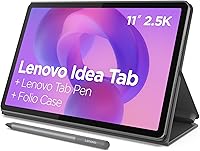
Choose the Lenovo Tab One if frequent carrying and handheld reading come first. Its 8.7-inch display and 11.2-ounce weight make it the compact option in this comparison.
The included folio case saves you from needing a separate stand for basic hands-free reading. It is useful for checking a saved recipe at a table or keeping a book upright during a break.
Its 1340 x 800 display and 60Hz refresh rate are a step down from either Samsung here. Skip it if you frequently read dense documents, prefer larger web pages or want more space around on-screen controls.
Lenovo claims up to 12.5 hours of rated battery life, but do not use that figure as a promise for every mix of apps. Download what you need and charge before a long trip rather than building a travel plan around the maximum claim.
How should you set up the A9+ for shared home use?
Set up security, readability and the apps you need first. A simple home screen is easier to use than one filled with shortcuts nobody recognizes.
Connect to your home Wi-Fi, install available system and app updates, and add a screen lock. Check account recovery details before relying on the tablet for messages, purchases or saved files.
Increase text size if anyone struggles to read menus. Keep the main screen focused on a few common tasks, such as photos, books, email and calls.
Samsung Kids comes preloaded on the A9+. Review its settings before handing the tablet to a child, and check purchase controls in any accounts used for apps or games.
Try multi-window with your most useful app pair before arranging the rest of your setup. If either app does not support it, plan to switch between them instead.
Quick Share can help move files, such as family photos or saved documents. Check the relevant account, device and connection requirements before making file sharing part of your daily routine.
For important photos and documents, keep another copy outside the tablet. A memory card can add space, but it should not be your only copy of something you cannot replace.
What care habits and buying mistakes matter most?
Protect the screen, charging port and access to your accounts before spending on optional extras. A suitable case and a tidy charging spot help with daily handling.
Power the tablet off before cleaning it and use a soft microfiber cloth. Avoid spraying liquid directly onto the screen or pushing debris farther into ports.
Keep it away from hot cars, wet counters and cooking splashes. A tablet used for recipes belongs on a stable stand away from the sink and stovetop.
The most common buying mistakes are easy to avoid:
- Confusing storage with memory. Extra file space does not add working memory for apps.
- Buying for the best-case battery figure. Brightness, calls, games and background activity change power use.
- Assuming a tray means mobile service. Confirm the exact model's connectivity if you need internet away from Wi-Fi.
- Choosing a case by screen size alone. Confirm the model fit, camera openings and access to buttons and ports.
- Ignoring the return window. Check your essential apps, reading comfort and call setup early enough to make a decision.
Buy accessories after you know how you will use the tablet. A stand may solve your main comfort problem without needing a keyboard or other add-ons.
Galaxy Tab A9+ review verdict: which tablet should you choose?
Choose the A9+ for a modest app collection and shared home use, the A11+ for more demanding storage and app needs, or the Lenovo Tab One for regular handheld reading and travel. That is the decision rule from this Galaxy Tab A9+ review.
Before ordering, name the task you will do most often and the limitation you least want to manage. Running out of app space points toward the A11+; carrying a bulky device points toward the Lenovo.
For a wider comparison, start with our best Samsung tablets guide. If your decision also involves changing platforms, Samsung tablet vs iPad for home use covers that next choice.
Frequently asked questions
Is the Samsung Galaxy Tab A9+ good for everyday use?
Yes, the Galaxy Tab A9+ suits reading, browsing, email and light everyday tasks. Its larger screen helps with web pages and recipes, while compatible apps can share the display.
Choose more built-in memory and storage if your household keeps many games or frequently switches between demanding apps.
Can you use multiple apps on the Galaxy Tab A9+?
Yes, the Galaxy Tab A9+ supports multiple apps on one screen, though some apps do not support this feature. A useful starting point is a browser beside a notes app.
Check that your essential apps support the layout you need before planning a tablet-only work routine.
What is the difference between the Galaxy Tab A9+ and A11+?
The main difference here is the configuration: the A9+ has 4GB RAM and 64GB storage, while the A11+ has 6GB RAM and 128GB storage. Both offer similar screen specifications and quad speakers.
The A11+ also includes a 5MP front camera and supports fast charging with a separate compatible charger.
Is the Galaxy Tab A9+ easy to carry?
The Galaxy Tab A9+ suits carrying between rooms or taking in a bag, but its full-size screen makes it less compact than the Lenovo Tab One. For frequent handheld reading, think about grip and case weight.
A stand can make longer sessions more comfortable than holding the tablet throughout.