Samsung Tablet vs iPad: Which Is Better for Home Use? (October 2026)
For iPad vs Samsung tablet, choose the iPad for iPadOS apps and Center Stage calls, the Galaxy Tab A11+ for family browsing and games, or the S10 Lite for handwritten notes. Check your essential apps and storage needs before choosing.
On this page (12 sections)
- Samsung Tablet vs iPad: Which Is Better for Home Use?
- iPad vs Samsung tablet: what should decide your choice?
- Who should buy each of these tablets?
- Which tablet fits the devices you already own?
- What are the screen and reading differences?
- Which tablet is better for video calls?
- Which one is better for notes and drawing?
- How much storage should you choose?
- What should you check about battery life and accessories?
- How should you set up a tablet for home use?
- What mistakes should you avoid after buying?
- Which iPad vs Samsung tablet is right for your home?
Samsung Tablet vs iPad: Which Is Better for Home Use?
Choose the iPad for iPadOS apps and camera-focused calls, the Galaxy Tab A11+ for family browsing and games, or the Galaxy Tab S10 Lite for handwritten notes. The useful iPad vs Samsung tablet comparison starts with what you'll do each day, then checks apps, storage and accessories.
Don't choose a whole brand when you're buying one model. These 3 tablets serve different needs, and a feature you'll use every morning matters more than a longer list of extras.

iPad vs Samsung tablet: what should decide your choice?
Your essential apps should decide first, followed by your main task and how you save files. A tablet is a poor fit if it can't handle the service, document or accessory you depend on.
Write down 3 routine jobs, such as reading library books, calling family and keeping recipes. Check the exact apps for those jobs, including account access, subscription requirements and any features you already use.
Then name one task that would justify choosing a different model. Handwriting points toward pen support, a large offline photo collection favors storage expansion, and frequent calls make camera features more useful.
How to compare iPad and Samsung tablet apps
Check what the tablet version of each app actually does, rather than assuming a familiar name means identical features. File export, printing, offline access and account sign-in deserve a look before you move your routine.
If you're weighing other Android models, our guide to the best Android tablets for everyday use broadens the shortlist. For a relative who needs simple controls, see iPad vs Android tablet for older adults.
Who should buy each of these tablets?
Buy the iPad for an iPadOS routine, the A11+ for browsing and games, and the S10 Lite for pen-based work. Skip a model when its main advantage doesn't solve a task you expect to do.
Apple iPad: for app-centered home use
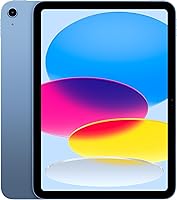
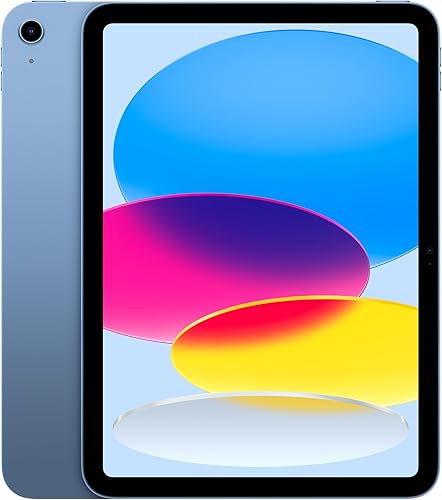
The Apple iPad combines an A16 chip, Touch ID and iPadOS, which supports running multiple apps at once. It comes with Safari, Messages and Keynote, giving you tools for browsing, communication and presentations.
This fits someone who has chosen specific iPad apps or wants to read reference material while working in another app. Touch ID puts fingerprint access in the top button, so consider how easily you can reach it with your chosen case.
Skip it if your main requirement is adding storage for a growing offline collection. Also avoid choosing it solely for occasional pen use if you haven't selected a note app and compatible accessories.
Galaxy Tab A11+: for reading and everyday browsing
The Galaxy Tab A11+ suits a household whose tablet spends most of its time on reading, browsing and saved photos. Its expandable storage gives a growing photo collection a clear place in the buying decision.
It also offers Circle to Search for searching on-screen content and Google Gemini for assistance. Gemini requires an internet connection and eligible accounts, and its answers still need checking.
Skip the A11+ if handwriting is the reason you're buying a tablet. The S10 Lite has the S Pen tools that make that use case easier to plan around.
Galaxy Tab S10 Lite: for a regular writing routine
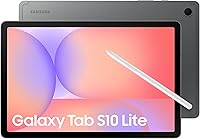
The Galaxy Tab S10 Lite fits someone who wants to write notes, sketch ideas or mark down plans as part of daily use. Its note cleanup features work within Samsung Notes, so choose that workflow deliberately.
Skip it if you mostly read and browse and rarely write by hand. Also look elsewhere if you depend on a specific note app without first checking its pen features and export options.
Which tablet fits the devices you already own?
Choose the tablet that works with your existing files, accounts and support network. Familiar apps can save more effort than a connected feature you won't use.
Start with your email, photo library, cloud storage and password manager. Confirm that you can sign in and reach the same material from the tablet without creating a second, confusing filing system.
Samsung describes S10 Lite connections that let you answer calls on the tablet and continue notes across compatible Galaxy devices. SmartThings Map View also supports controlling connected home devices, making compatibility worth checking if those are part of your routine.
For a family member, consider who will help with settings and forgotten passwords. A helper who knows the chosen system can make setup and later changes much easier.
What are the screen and reading differences?
All 3 screens are close in size, so prioritize readable text, comfortable brightness and how you'll support the tablet. A small diagonal difference shouldn't decide the purchase by itself.
The iPad and A11+ have 11-inch screens, while the S10 Lite has a 10.9-inch screen. Apple uses a Liquid Retina display; both Samsung models use LCD screens.
True Tone adjusts the iPad display's color temperature to the room, while Samsung's Vision Booster adjusts the S10 Lite's brightness to the environment. The A11+ supports a refresh rate up to 90Hz, a feature relevant to scrolling and moving content.
For books, open a sample page and increase the font before judging readability. Our guide to making text bigger on a tablet explains settings that can help with reading and everyday controls.
Plan where the tablet will rest during a long chapter. A stand or supportive case can reduce the need to hold it up, and you should be able to turn pages without leaning forward.
Which tablet is better for video calls?
The iPad offers the strongest camera feature set described here for calls, with a 12MP Center Stage front camera. The A11+ has a 5MP front camera and suits buyers whose priority is staying in touch alongside reading and browsing.
Choose your calling app before choosing by camera resolution. Everyone needs a workable way to join, and the controls for muting, switching cameras and ending a call should be easy to find.
Place a lamp or window in front of you rather than behind your head. Set the tablet near eye level on a steady surface, and keep your fingers clear of the camera when adjusting its position.
If calls are your main reason for considering the S10 Lite, confirm its front-camera features before deciding. Our guide to video calling on a tablet walks through the setup routine.
Which one is better for notes and drawing?
Choose the S10 Lite for an S Pen and Samsung Notes routine, or the iPad for a preferred Apple Pencil app. The best choice lets you find and reuse your notes after you've written them.
The iPad supports Apple Pencil (USB-C) and Apple Pencil (1st generation), plus Scribble for handwriting in text fields. It also works with Magic Keyboard Folio, which is relevant if longer typed notes are part of your plan.
Check the exact pen, keyboard and case compatibility before buying accessories. Similar names and screen sizes don't guarantee that an accessory fits.
Think through one real task: write a shopping list, organize it into a folder, then send a copy to someone. For school or work, also check whether you can export notes in the format the recipient needs.
Don't assume automated note tools will preserve every word or equation correctly. Keep the original and review the result before sharing it; our best tablets for note taking guide covers more choices.
How much storage should you choose?
Start with what you'll keep offline, then leave room for apps, system files and future downloads. The compared configurations have 128GB, but that full amount won't be available for your own files.
The iPad has other built-in capacities up to 512GB. Choose that capacity before buying rather than planning around a later internal upgrade.
Both Samsung models support microSD expansion, and the S10 Lite supports cards up to 2TB. Confirm the S10 Lite's built-in capacity before ordering because both 128GB and 256GB versions appear in its specifications.
A card is useful for compatible photos, documents and downloads, but it doesn't add working memory. Apps differ in what they let you save or move, so check your main reading and note taking apps if offline use matters.
For mostly web browsing, email and reading, estimate your app needs first. For travel, count the recipes, books and photos you'll want without a connection; our guide to how much tablet storage you need helps turn that into a plan.
What should you check about battery life and accessories?
Plan charging around your routine and check charger requirements separately. Battery claims use different conditions, so they don't provide a fair head-to-head runtime comparison.
Apple describes the iPad as offering all-day battery life. Samsung describes the A11+ as long-lasting, while the S10 Lite's up-to-16-hour claim is based on local video playback under specified conditions.
Web browsing, brightness, games and calls change how long a charge lasts. If the tablet usually stays near the sofa or kitchen table, a convenient charging spot may matter more than the headline claim.
A11+ fast charging requires a separate 25W wall charger, while S10 Lite Super Fast Charging requires a separate 45W wall charger. Follow Samsung's guidance on approved chargers and USB-C cables, and replace worn or damaged cables.
Include a case, stand, pen or keyboard in your buying plan only when it serves a real task. Check the box contents before adding a duplicate accessory.
How should you set up a tablet for home use?
Set up security, readability and your 3 main tasks before adding extra apps. A clear first screen makes the tablet easier to use from day one.
Connect to your home Wi-Fi, install available software updates and set a device passcode. Add fingerprint access where supported, and keep account recovery details somewhere safe outside the tablet.
Increase text size, adjust brightness and choose a screen timeout that gives you enough time to read. Put the calling, reading and browsing apps where you can find them without searching through several screens.
Make a call, download a book and save a document to the folder you intend to use. These simple checks reveal missing passwords, permissions or file access while help is nearby.
For a shared household tablet, decide whose accounts and payment methods belong on it. Review app permissions and purchase controls before handing it to another person, especially a child.
What mistakes should you avoid after buying?
Avoid treating extra storage as a backup or assuming a keyboard makes every tablet a laptop. Both mistakes can leave you with a device that doesn't fit the job.
Keep important notes and photos backed up separately from the tablet and its memory card. Check that a few saved files can be opened from your backup location rather than relying only on a sync symbol.
If you're replacing a computer, check your hardest task first, such as editing a complex document, submitting a form or moving files between services. Our guide to whether a tablet can replace a laptop helps you check that decision.
For care, use a soft, lint-free cloth and follow the device maker's cleaning directions. Don't spray cleaner into ports, leave the tablet in a hot car or charge it under bedding.
Revisit storage occasionally and remove downloads you no longer need. Keep recovery details current so a forgotten password doesn't cut off access to books, photos and notes.
Which iPad vs Samsung tablet is right for your home?
Choose by the task you can name and the apps you've checked. For your final iPad vs Samsung tablet decision, use these rules:
- Pick the iPad when iPadOS apps, fingerprint access and camera-focused calls are the reasons you'll use it regularly.
- Pick the Galaxy Tab A11+ when your household wants reading, browsing and room for saved photos.
- Pick the Galaxy Tab S10 Lite when handwriting and sketching are weekly habits, with Samsung Notes fitting your filing routine.
For a narrower choice between the first 2, read our Samsung Galaxy Tab A11+ vs iPad A16 comparison. Our Samsung tablet guide also explains everyday-use considerations across the brand.
If you're choosing for an older family member, plan the help they'll need alongside the hardware. Our complete tablet guide for older adults and home use is a useful next step for matching controls, accessibility and daily tasks.
Frequently asked questions
Is an iPad better than a Samsung tablet for home use?
The iPad is the better fit when your preferred apps are on iPadOS or you want its Center Stage front camera. Choose the Galaxy Tab A11+ for browsing, games and expandable storage, or the S10 Lite for handwriting.
Start with your main task rather than choosing by brand alone.
Which is easier to use, an iPad or a Samsung tablet?
The easier tablet is usually the one with familiar apps, readable controls and help available when you need it. Try opening a book, joining a call and finding a saved file on each.
For a relative, a simple home screen and repeatable instructions can matter more than the brand.
Can you expand storage on an iPad or Samsung tablet?
Both Samsung models here support microSD expansion, while the iPad's built-in capacity should be chosen before buying. The S10 Lite supports cards up to 2TB.
Extra card space helps with compatible files and downloads, but it doesn't add RAM or guarantee that every app can move to the card.
Which tablet is better for video calls?
The iPad is the clearest choice here if camera features are your priority, thanks to its 12MP Center Stage front camera. The Galaxy Tab A11+ has a 5MP front camera.
Check your family's calling app, then arrange front-facing light, a steady stand and a reliable connection.
Is a Samsung tablet or iPad better for taking notes?
Choose the S10 Lite if you want to build a handwriting routine around S Pen and Samsung Notes. Choose the iPad if your preferred note app uses Apple Pencil and you want Scribble text entry.
Check pen compatibility, export options and accessory requirements before committing your notes to either system.