Galaxy Tab A11+ vs iPad A16: Which Is the Better Buy? (October 2026)
For Galaxy Tab A11+ vs iPad A16, choose Samsung for an offline photo library and family calls through its built-in speakers. Choose the iPad for Apple apps, handwritten notes with a compatible Apple Pencil, and camera-focused tasks.
On this page (10 sections)
- Galaxy Tab A11+ vs iPad A16: which fits your devices?
- Which screen and speakers suit family calls and reading?
- How should you plan storage and accessories?
- Which tablet should you choose for handwritten notes?
- Which tablet suits video calls and document scanning?
- Can either tablet handle everyday work?
- How should you set up and care for either tablet?
- What mistakes should you avoid before buying?
- Should you choose the Galaxy Tab A9+ instead?
- Galaxy Tab A11+ vs iPad A16: which should you buy?
In Galaxy Tab A11+ vs iPad A16, choose Samsung for an offline photo library and family calls through its built-in speakers, or the iPad for Apple apps, handwritten notes and camera tasks. Start with what you need the tablet to do each week.
Both main configurations have an 11-inch screen and 128GB of built-in storage. The meaningful differences are Samsung's storage expansion, Apple's supported writing accessories, and how each fits your apps and files.
The Galaxy Tab A11+ review covers Samsung's tablet on its own. For more context about the two brands, see Samsung tablet vs iPad for home use.

Galaxy Tab A11+ vs iPad A16: which fits your devices?
Choose around your essential apps first, then consider your phone and other devices. An otherwise appealing tablet is the wrong choice if it complicates the task you bought it for.
Write down the apps you use for email, books, banking, calls and work. Check the tablet version of each, including any account or subscription you need.
The iPad runs iPadOS and includes Safari, Messages and Keynote. It fits buyers who specifically want those apps or already keep their daily work in Apple services.
The Galaxy Tab A11+ includes Google Gemini and Circle to Search. Treat those as useful extras after you've confirmed that your reading, games and communication apps meet your needs.
Gemini requires internet access and is limited by account, language and country, with access for users 18 and older. Check its answers before relying on them.
Galaxy Tab A11+ or iPad A16 for an existing account?
Keep the account that holds your useful content in mind, especially if you have years of books, photos or saved documents. Check how you will access that content before moving to a different tablet system.
Your phone brand can help narrow the choice, but it shouldn't override a required app. A tablet bought mainly for one drawing program or work tool should suit that program first.
Which screen and speakers suit family calls and reading?
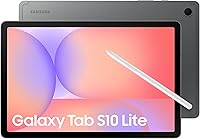
The Galaxy has quad speakers for family calls; reading calls for more attention to text and support. Its quad speakers with Dolby Atmos are a reason to consider it for calls and games.
Samsung's LCD has a 1920 x 1200 resolution and a refresh rate up to 90Hz. Refresh rate describes how often the screen refreshes, so don't use that figure alone to judge text clarity or photo quality.
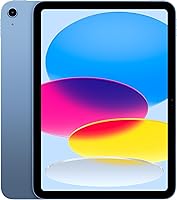
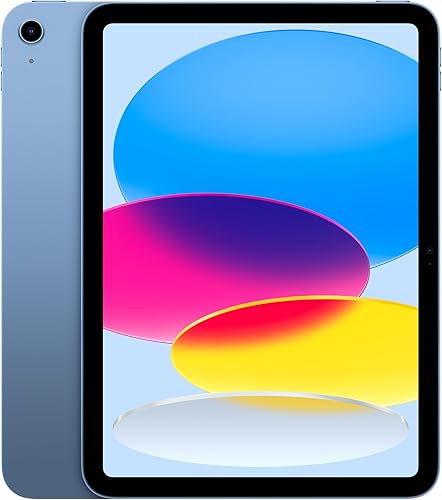
The iPad has a Liquid Retina display with True Tone, which adjusts the display to the room's color temperature. That feature changes the viewing experience without requiring you to keep adjusting the screen's color yourself.
For books, check your preferred reading app's font sizes, spacing and background options. Larger text can make a full-size tablet useful without requiring you to hold it close to your face.
A stand also matters for long sessions at a table or beside a chair. Supporting the tablet lets you turn pages without holding the whole device throughout a chapter.
See how to make text bigger on a tablet for practical adjustments. Set comfortable text before deciding that a screen feels too small.
How should you plan storage and accessories?
Choose Samsung if adding storage for supported files is a priority, and plan the iPad's built-in capacity before ordering. Matching starting capacities don't make the two storage choices equivalent.
The A11+ accepts a separately purchased microSD card. That helps buyers who want to keep a collection of photos, recipes and other supported files locally.
A memory card doesn't automatically increase the space available to every app. Confirm your chosen reading or recipe app's storage options before buying a card for its saved files.
Apple offers this iPad with capacities up to 512GB. Choose based on what you'll keep locally, rather than assuming cloud storage removes every need for space on the device.
Leave room for operating-system updates, new apps and temporary downloads. Our guide to how much tablet storage you need helps separate a small reading collection from a larger offline library.
Make a short accessory list alongside the tablet choice: case, stand, charger, keyboard or pen. Buy around your actual routine, such as a stable stand for calls or a keyboard for frequent email.
Which tablet should you choose for handwritten notes?
Choose the iPad when handwriting is a main reason for buying, because it has clearly identified Apple Pencil support. Confirm the exact pen model before placing an order.
This iPad works with Apple Pencil (USB-C) and first-generation Apple Pencil. Check the connection, charging and any adapter requirements for the version you choose.
The useful question is what your notes need to contain. Short reminders, marked-up documents, diagrams and long lecture notes can call for different app tools and page layouts.
Try the app's workflow before committing to a large collection of notebooks. Check how it exports a page and how you'll open the result on another device.
Don't assume any pen sold as a tablet stylus provides the same writing functions. Confirm the Galaxy accessory's exact capabilities if you want handwriting rather than basic screen input.
For frequent typing, the iPad supports Magic Keyboard Folio, with a detachable keyboard and magnetic protective back panel. Decide how often you'll type at a desk before adding a keyboard to your setup.
Our tablets for note taking guide can help if writing is more important to you than games or browsing.
Which tablet suits video calls and document scanning?
Choose the iPad for a tablet centered on calls and camera work. Its 12MP Center Stage front camera gives it a stronger camera feature set than the A11+'s 5MP front camera.
The iPad also has a 12MP Wide rear camera with True Tone flash, document scanning and 4K video recording. Those features suit someone who wants to capture paperwork or family photos as well as join calls.
Samsung remains an option if you mainly need occasional family conversations. Make app compatibility, clear sound and a stable position part of that decision.
For either tablet, place the camera near eye level and face a window or lamp. Avoid sitting with a bright window directly behind you, which can leave your face harder to see.
A tabletop stand frees your hands and stops the camera angle changing as you talk. Keep its position clear of objects that could block the camera or microphones.
Before an important call, check camera and microphone permissions and make a short practice call. Follow how to video call on a tablet if you're setting one up for the first time.
Can either tablet handle everyday work?
Choose by your work steps, especially file handling and app features, rather than the processor name alone. Both are candidates for everyday browsing and communication, but replacing a computer requires closer planning.
The iPad uses Apple's A16 chip and supports running multiple apps at once in iPadOS. Apple describes it as suitable for gaming and photo editing.
The A11+ configuration here has 6GB RAM. Samsung positions its upgraded chipset for daily tasks and gaming.
Those details don't establish a measured speed gap between these tablets. For a work purchase, the more useful check is whether you can complete a whole task in the apps available to you.
Think through receiving a document, editing it, saving the correct version and sending it back. A mobile app may have a different set of controls from the computer version you already know.
If you type long documents, plan where the keyboard and tablet will sit. A stable table setup matters more than a clever accessory you won't carry or use.
Read our guide to whether a tablet can replace a laptop before choosing either as your only work device.
How should you set up and care for either tablet?
Set up accounts, security and backups before filling the tablet with apps. A clear starting setup makes the device easier to use and reduces the risk of losing files later.
Connect to your home Wi-Fi and install available system and app updates. Add your own account and keep its recovery details somewhere you can find them.
Set a screen lock and choose a backup method for important documents and photos. The iPad has Touch ID in its top button, so you can use a fingerprint for access.
Keep the home screen focused on the apps you use most. For a relative, arrange those apps together and increase text size before adding optional features.
Our guide to tablets for older adults and home use covers the wider support decisions if you're helping someone else.
Apple describes the iPad's battery life as all-day, while Samsung describes the A11+ as long-lasting. Plan charging around your use, since screen brightness, calls and games change power needs.
Samsung's fast-charging option requires a separate 25W wall charger and a Samsung-approved charger and USB-C cable. Avoid worn cables and charge the tablet on a firm surface with airflow.
For cleaning, unplug the device and wipe it gently with a soft, lint-free cloth. Keep liquid out of openings and follow the manufacturer's cleaning guidance before using any cleaning solution.
What mistakes should you avoid before buying?
Avoid buying around one headline feature while overlooking your daily routine. A storage card, camera or keyboard only adds value when it helps with something you'll actually do.
Don't confuse storage with memory. Storage holds apps and files, while RAM supports active tasks; adding a card doesn't turn one configuration into a higher-memory model.
Don't assume a favorite phone app has the same controls on a tablet. Check the functions you need, especially document editing, download management and account access.
Don't buy accessories based only on screen size. A case or keyboard needs to fit the exact model, including its buttons, cameras and connection points.
Don't make cloud storage your only plan for a trip with unreliable internet. Download the files you need in advance and confirm that you can open them without a connection.
For a shared household tablet, decide who controls purchases, account recovery and private information. Keeping personal email and payment details on a shared device requires more thought than choosing a recipe app.
If Samsung remains your preference, our Samsung tablets for everyday use guide helps place the A11+ within that broader choice.
Should you choose the Galaxy Tab A9+ instead?
Consider the A9+ for a small app collection and light family use, provided its lower built-in capacity meets your needs. Don't assume it offers better value simply because it is another Samsung option.
The configuration here has 64GB storage and 4GB RAM. It supports microSD expansion, but leave enough internal space for the apps you intend to install.
Its 11-inch display has a 90Hz refresh rate, and it has quad speakers with Dolby Atmos. Those features keep it relevant for family calls, reading and casual games.
Samsung Kids comes preloaded, which gives families a specific reason to consider it. Set the available controls around the child's needs before handing over the tablet.
The A9+ also supports viewing multiple apps at once, although some apps don't support Multi-Active Windows. Check your intended app pair rather than assuming every combination works.
Choose the A11+ if you want more built-in room in the configurations compared here. Keep the A9+ on your shortlist if your routine stays focused on a few apps and web browsing.
Galaxy Tab A11+ vs iPad A16: which should you buy?
Buy for the task you repeat most, then confirm the apps, capacity and accessories needed to complete it. That turns the Galaxy Tab A11+ vs iPad A16 choice into a practical decision.
- Choose the Galaxy Tab A11+ for saved photos, expandable file storage and family calls through built-in speakers.
- Choose the iPad A16 for Apple apps, compatible Pencil writing, document scanning and camera-focused use.
- Consider the Galaxy Tab A9+ for a smaller app collection and light family use.
Skip the A11+ if your main need is an Apple-specific app or a clearly supported Apple Pencil workflow. Skip the iPad if your essential requirement is adding a memory card for your photo collection.
Hold off on either as a laptop replacement until you've checked your full work routine. Being able to open a document is only one part of editing, organizing and returning it.
For an older adult, also decide who will help with accounts and everyday questions. Read iPad vs Android tablet: which is easier for seniors? to weigh that support alongside the hardware.
Frequently asked questions
Is the Galaxy Tab A11+ better than the iPad A16?
Choose the Galaxy Tab A11+ for expandable storage and family calls through its quad speakers. Choose the iPad A16 for Apple apps, compatible Apple Pencil use and camera tasks.
Your required apps should decide first, followed by storage needs and any accessories you plan to buy.
Which tablet has more storage?
Both main configurations here have 128GB of built-in storage. The Galaxy Tab A11+ also accepts a separately purchased microSD card, while Apple offers larger built-in capacity options for this iPad.
Estimate your apps, downloads and files before choosing, and leave room for future updates.
Can you use a stylus with these tablets?
The iPad A16 supports Apple Pencil (USB-C) and first-generation Apple Pencil. For handwriting, choose a compatible pen and check how it connects and charges before ordering.
Don't assume the Galaxy Tab A11+ offers equivalent pen features; confirm the exact writing functions your intended accessory supports.
Which tablet is better for video calls?
The iPad A16 is the stronger choice for camera-focused buyers, with a 12MP Center Stage front camera compared with Samsung's 5MP front camera. For either tablet, confirm your call app works, place the screen near eye level and face a light source for a clearer view.
Should I buy the Galaxy Tab A11+ or A9+?
Choose the Galaxy Tab A11+ if you want more room for apps and files in the configurations compared here. It has 128GB storage and 6GB RAM, versus 64GB and 4GB on this A9+.
Consider the A9+ for a smaller app collection and light family use.